DoF Visualizer

DoF Visualizer — Eight Visual Tools for Photographers
Stop guessing what your gear will do. DoF Visualizer turns the math behind photography into clear, interactive diagrams you can read at a glance. Drag a slider and watch the focus zone shift, the bokeh balls grow, the star trails appear. Plan the shot before you press the shutter. Built for photographers who care about why their images look the way they do — from portrait shooters chasing creamy backgrounds, to landscape photographers planning silky water, to astrophotographers timing their exposures, to macro shooters stacking focus on a single flower.
EIGHT TOOLS IN ONE APP
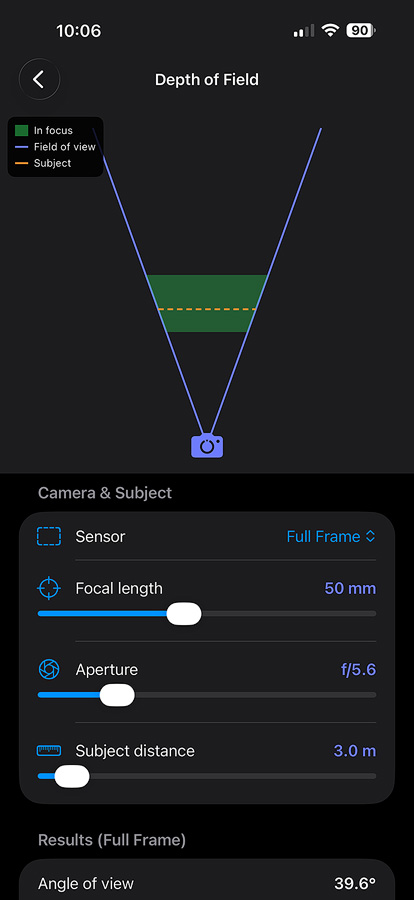
- Depth of Field — See exactly what's sharp. Live cone visualization with near focus, far focus, and hyperfocal distance for any lens, aperture, and sensor.
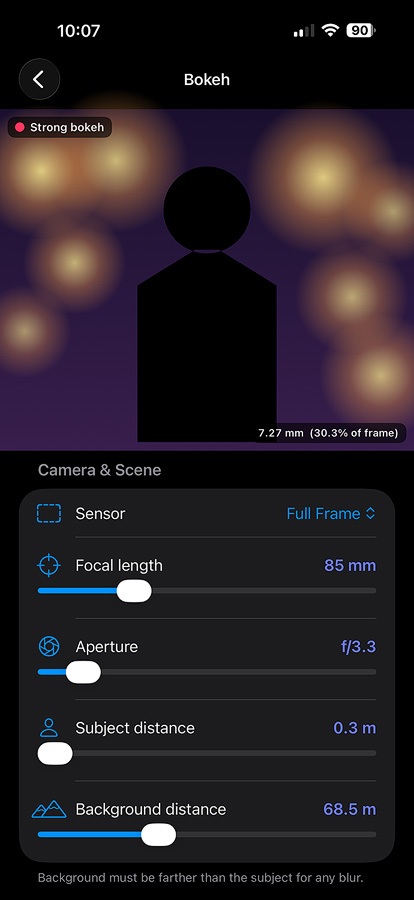
- Bokeh — Preview background blur before you shoot. Adjust focal length, aperture, subject distance and background distance to see how big those bokeh balls will actually be.
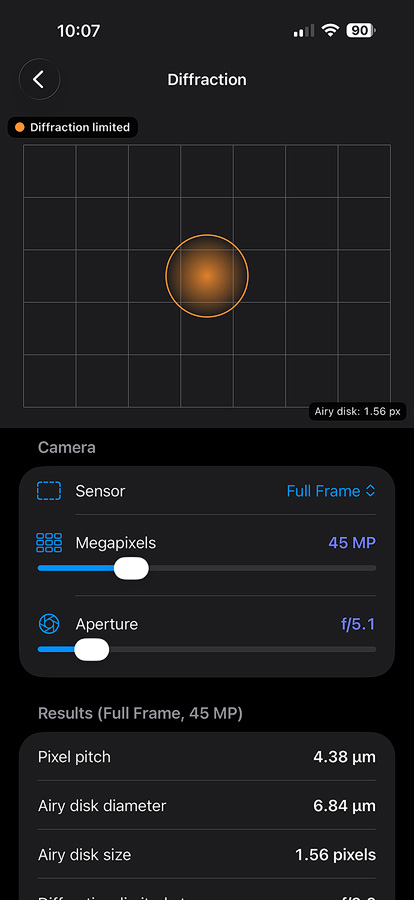
- Diffraction — Watch the Airy disk grow across your sensor's pixel grid. Find the aperture where diffraction starts robbing detail on your specific megapixel count.
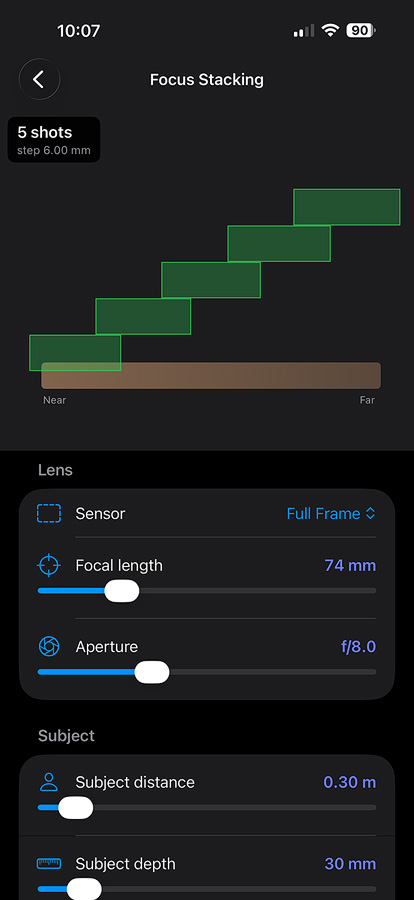
- Focus Stacking — Plan macro stacks. Tell it your subject depth and it returns the number of shots and the focus step in millimeters, with every slice's depth of field visualized.
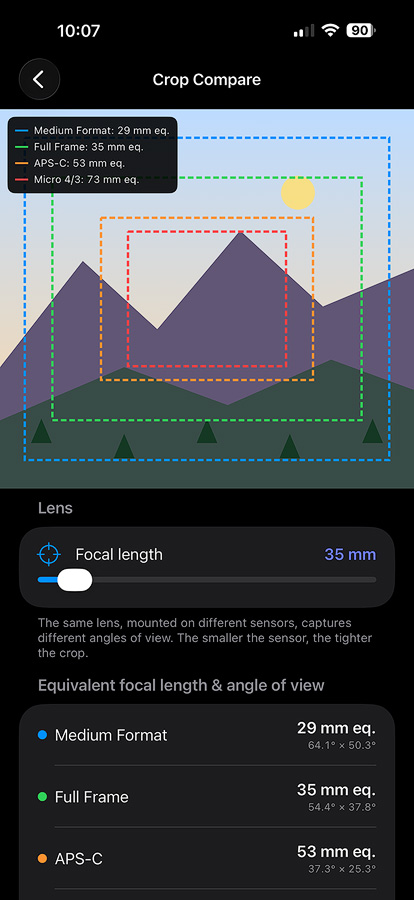
- Crop Compare — One focal length, four sensors. See concentric framing rectangles for Micro 4/3, APS-C, Full Frame, and Medium Format, with equivalent focal lengths labeled.
- Nodal Rail — Estimate the no-parallax-point offset for stitched panoramas. Save calibrated values per lens and recall them with a tap.
- ND Filter — Long-exposure planner. Pick your base shutter and target exposure, get the exact stops needed and the nearest standard ND filter.
- Astro — Maximum exposure for sharp stars, using the modern NPF rule (more accurate than the 500 rule for high-megapixel sensors). Stars stay as dots — or sprout trails when you push past the limit.
DESIGNED FOR THE WAY PHOTOGRAPHERS THINK
- Real lenses, real focal lengths — 8 mm through 1200 mm, the focal lengths actual lenses are built for.
- All four common formats — Micro 4/3, APS-C, Full Frame, and Medium Format, with the correct circle of confusion and sensor dimensions.
- Interactive visualizations — Every slider updates a live diagram. No number-crunching, no spreadsheets, no guessing.
- Clean and fast — Native SwiftUI. Open the app, tap a tool, start planning. No accounts, no ads, no subscriptions.
WHO IT'S FOR
- Portrait photographers picking the right aperture for soft backgrounds.
- Landscape photographers timing long exposures and hyperfocal distance.
- Astrophotographers calculating their max shutter speed by latitude.
- Macro photographers planning focus-stacking sequences.
- Videographers and panorama shooters working with nodal rails.
- Students learning the optics behind their gear.
- Anyone shopping for a new lens, sensor, or filter and wanting to see what it'll actually do.
FEATURES
- Live visual diagram — A clean overhead view of your camera's field of view, the in-focus zone, and your subject distance.
- Real lens range — Choose from 8 mm fisheye to 1200 mm super-telephoto, using focal lengths real lenses are actually built for.
- Full aperture range — f/1.4 through f/22, with depth of field updating as you move.
- Four sensor formats — Micro 4/3, APS-C, Full Frame, and Medium Format, each using the correct circle of confusion.
- All the numbers you need — Angle of view, near focus, far focus, depth of field, and hyperfocal distance, calculated instantly.
- Designed for photographers — Intuitive controls, no clutter, no setup. Just open it and start exploring.
The DoF Visualizer App can be obtained from the app store:
HEREPreviews and Screenshots
Privacy Policy
Effective Date: 05/25/2026
I respects your privacy. This Privacy Policy explains how I handle your information.
- No Data Collection
The DoF Visualizer App does not collect, store, or share any personal or non-personal information about its users.
- No Third-Party Services
The DoF Visualizer App does not use any third-party analytics tools, advertising platforms, or external services that collect or process user data.
- No Account Required
You are not required to create an account, provide personal information, or grant access to device data to use the App.
- Changes to This Policy
This Privacy Policy may be updated periodically to ensure compliance with legal requirements or App Store guidelines. Updates will be posted on this page, and the “Effective Date” will be revised accordingly.
If you have any questions or concerns about this Privacy Policy, please
CONTACT me.